
Restaurant Mash
A game I created for one of the final modules in 1st year of university. This game was created for a final module in the 1st year of university. We were tasked to create a polished game that had a game loop and was scalable. I created a game where you could cook meals and then serve them to the customers. You win when the day reaches day 5 or lose if the queue fills up.
- Created modular interaction system that includes multiple actions, and overlay effects for each player
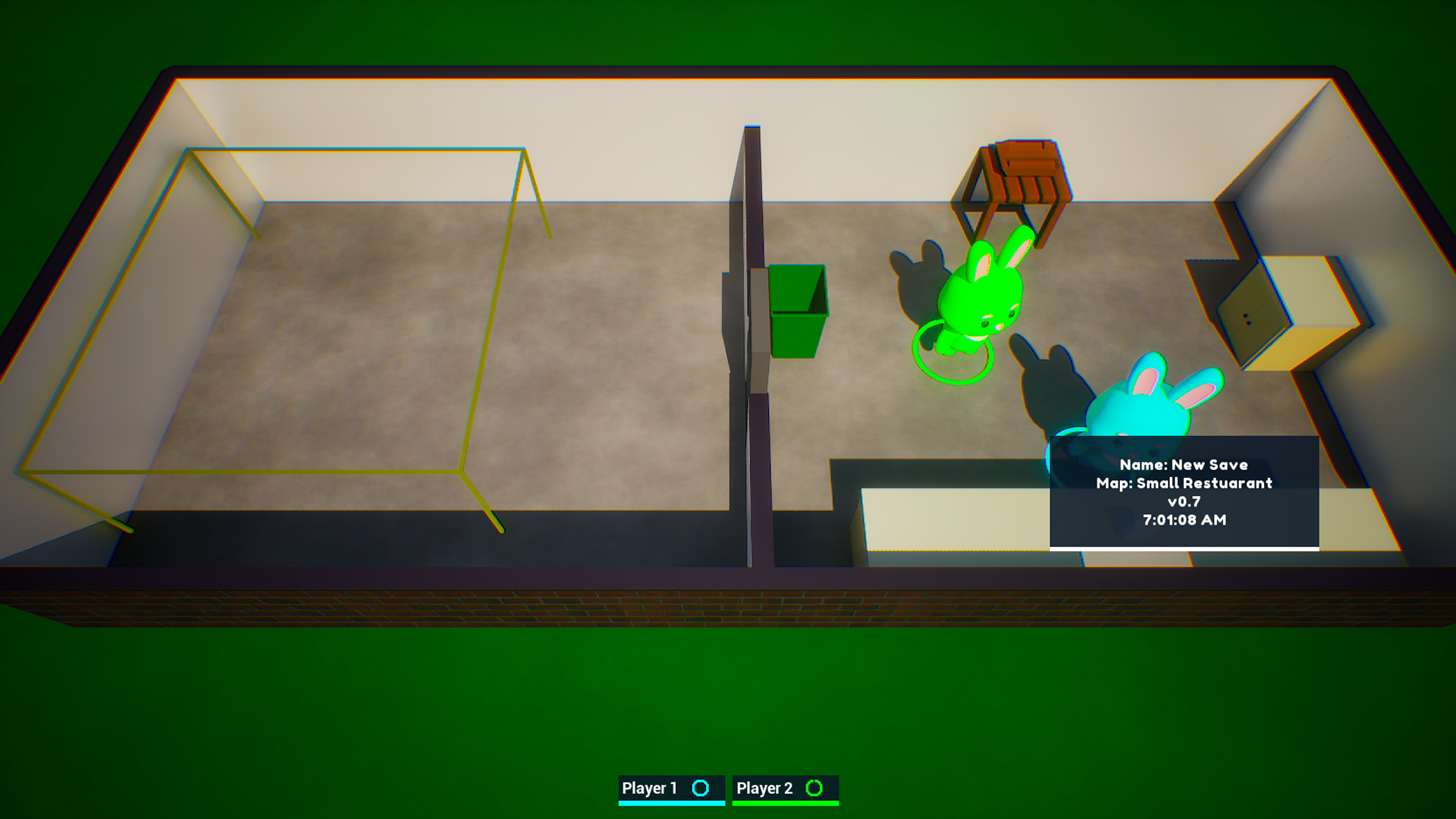
- Implemented local co-op which allows the ability to control multiple characters on one game instance
- Utilised behaviour trees to add AI that reacts to world changes dynamically
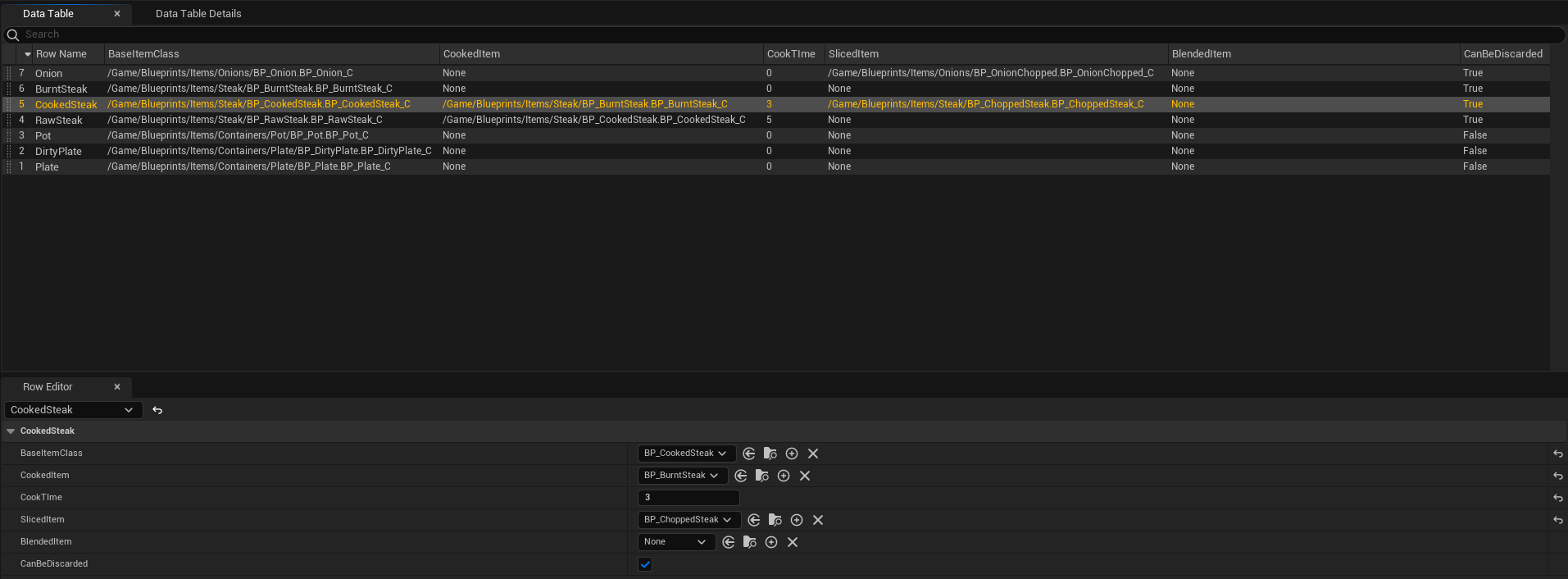
- Modular object-oriented recipes with data tables to allow for easy customisation by designers and developers
Idea
This game was heavily inspired by the game PlateUp! This was because I wanted to focus on creating the game's mechanics and backend rather than focusing on the idea generation. This was a great idea as it gave me ample time to get my core gameplay implemented. It also allowed me to gain more knowledge of Unreal and Blueprints as a whole.
Trailer
Game Screenshots
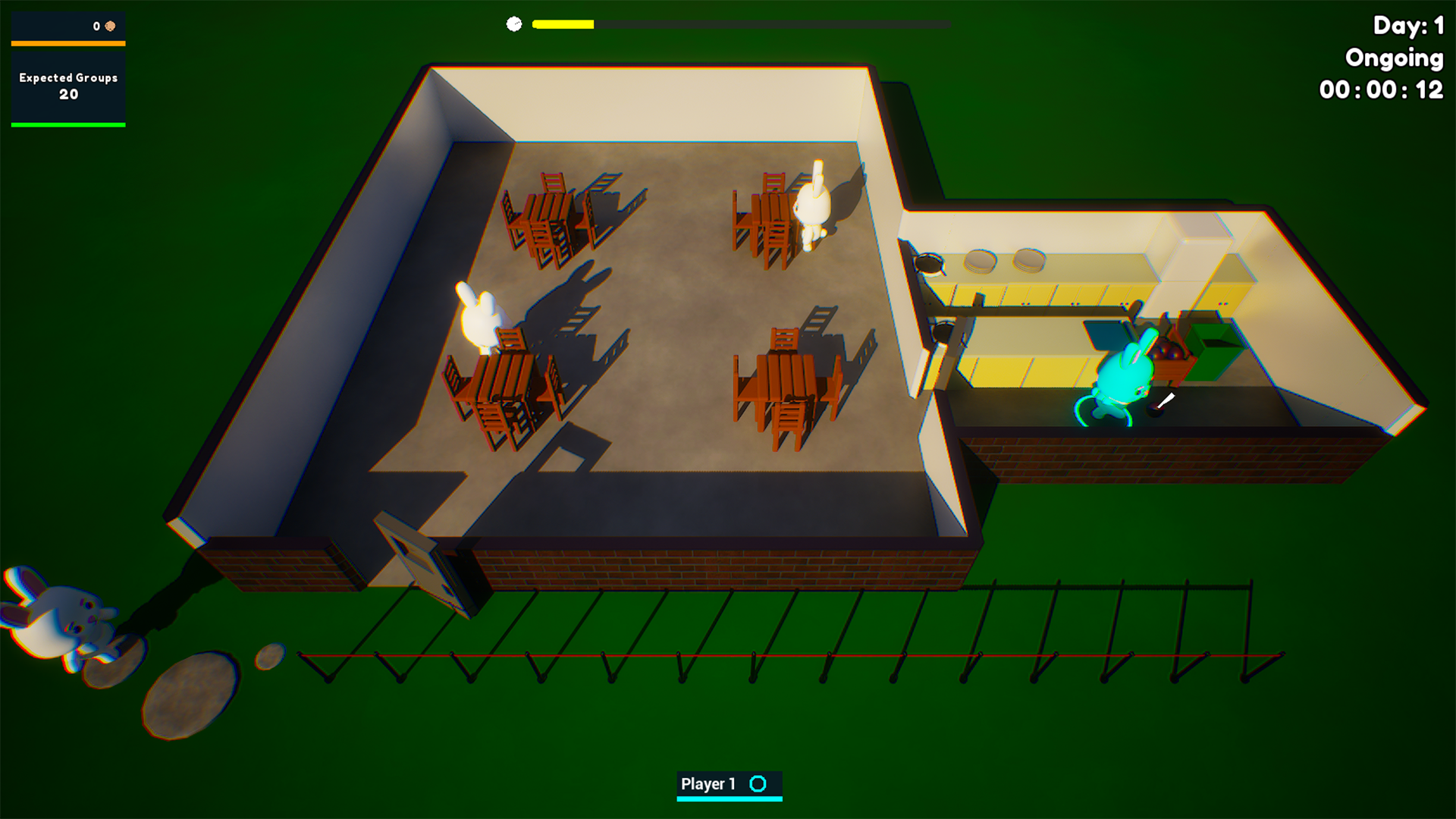
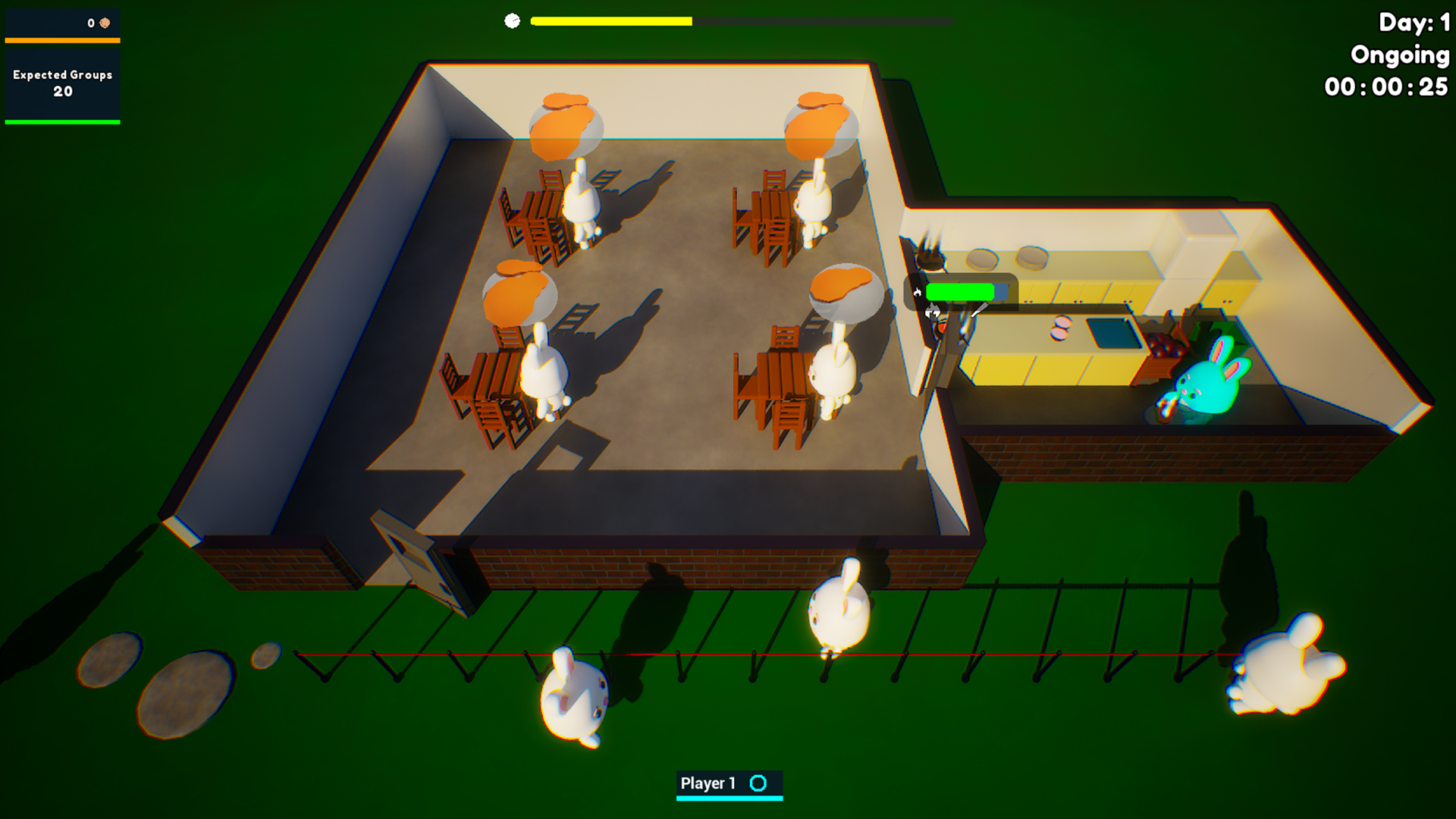
Gameplay
Food Setup
Items Data Table
I set the game up with data tables that held the items, food structures and containers. These would allow me to look for the correct ones and get data about them. Using data tables, I experimented with soft references to allow me to have data tables that would not load every asset and class when they are accessed.
If I were to revisit this, I think using data assets would have been a better decision, but data tables work for my use case. If I were to add a ton of items to the data table, it would be worth transferring the searching functions into C++ rather than Blueprints for more performance.
Co-op
To set up co-op, I utilised Unreal Engine's feature to create a new local player. I created start points for the first person (You) and others to join up to 4 players. I got curious and wanted to know if there was a way to increase this limit, and there was, but it had some flaws.
Firstly, '[/Script/Engine.GameViewportClient] MaxSplitscreenPlayers=8' could be added into the 'DefaultEngine.ini' config file, which would allow me to add more than 4 local players, but first Windows caps controllers at 4.
This can be circumvented, but it also calls for another issue in Unreal, where if you increase this, you can't have split screen, as there won't be enough rendering viewports for each character. I was okay as I only have one screen with no split screen. This was all informational, as I did not intend to add this many players to the game as local players. But it was great to know that I could overwrite this if I wanted to.
Interaction System
Interaction
Setting up the interaction, I went with a line trace that would be running every 0.1 seconds. This is so I could save a small chunk of performance. I also have an overlay material bound to objects when the item can be interacted with, because it is one screen rather than multiple, you won't know which player needs to interact with a 'Press E to interact'.
I utilised the overlay material section of the static meshes to add an overlay material when looking at the item. This was implemented with interfaces and would check if the item implements the interact interface.
If it does, it will then check for interaction every 0.1 seconds to combat performance hitches. It would then save the item it hits to see if it changes. If it does not, there is no point in calling the check for interact again until there is.
Interaction Items
Interact items are items that you can either pick up, place, chop on, rotate and more. These are the basis of the game. I have two interaction item types: Interaction Item and Interaction Actor. The interaction actors are like the counter, which has a few interactions you can do, which are chopping, placing, picking up and combining.
Chopping allows you to chop an item that from the items data table has been defined, such as onions into chopped onions. Placing and picking up allows you to place and pick up interact items.
These are items that you can place on interaction actors. The interaction actors will check if they have attached actors. If so, they will send events through an interface, so if you press F while looking at the counter, you can chop the item. This allows for a modular approach.
Animation
For the animation of the character, I have a blend space to blend between the holding animations and walking animations. This was done with Unreal's 2D blend spaces. I created animations for hold running, hold idle, idle and running. I got the idle and running animations I got from Mixamo, but then I edited them in Blender to get new animations for running with a plate or item held.
Sounds
For the sounds I wanted to explore, I wanted to explore meta-sounds. I did this by creating a modular system to create sounds that can be used by multiple sound classes. I also wanted to make it so I could have a random pitch speed that does not affect the speed of the sounds. There is not much to the sounds as they are all basic. I do want to expand the sounds so that they would allow for the game to feel more alive at times.
Assets
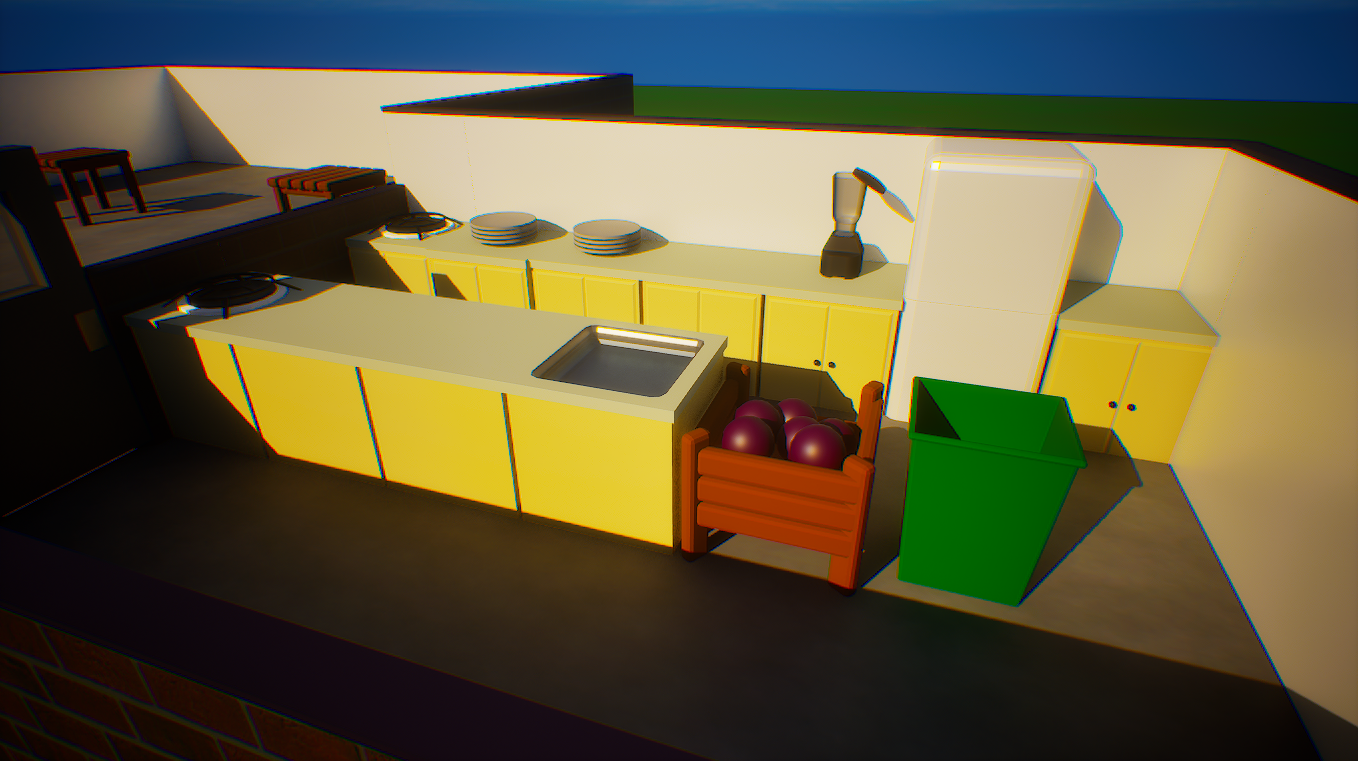
As before, the animation and sounds were not the main focus of the project. I added some assets that I created to use for the gameplay. These included the counters, pickup stations, food, plates, and building. I did not create the bunny as it was sourced from this FAB asset, Cute Bunny. I did edit this asset to contain the character's colour by using material instances and parameters to change the colour on each material created, rather than the base white.
Expansion
I would do certain things differently, such as instead of a data table, I would make data assets for each item.
I wanted to expand the game and finish it, as I felt that I did not leave it in a finished state at the end of the game development cycle. This was mainly due to my having some personal things to do. So overall, I had less time, but I still made it work and created a great game so far, and expanding it was a main focus of mine. I would love to migrate most of this project over to C++ and add some features I wanted to implement earlier in development, but I had over scoped too far and had to reel it back in.

Price Loading...
On This Page